Release 1.0.8.0
Explore new features
Create variant level quotation template from proposal
Users can now save a variant-level quotation template directly from a proposal by selecting their product variants and clicking the new Save as Template button. This automatically creates a new quotation template under Quotation Templates, with all materials from the proposal included in the order lines — eliminating the need to manually build templates from scratch. The template is only created if one does not already exist for that product type, ensuring no duplicates. Once saved, the template is available for reuse on future quotations, saving time and improving consistency across repeat jobs.
Save as Template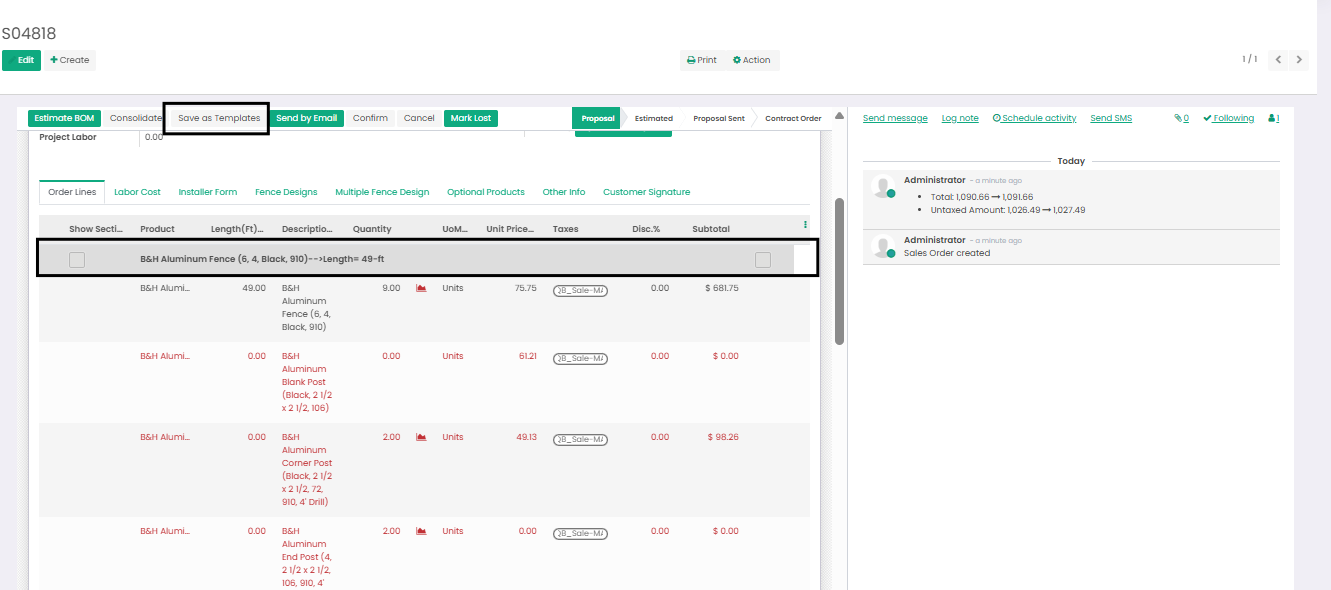
Quotation Template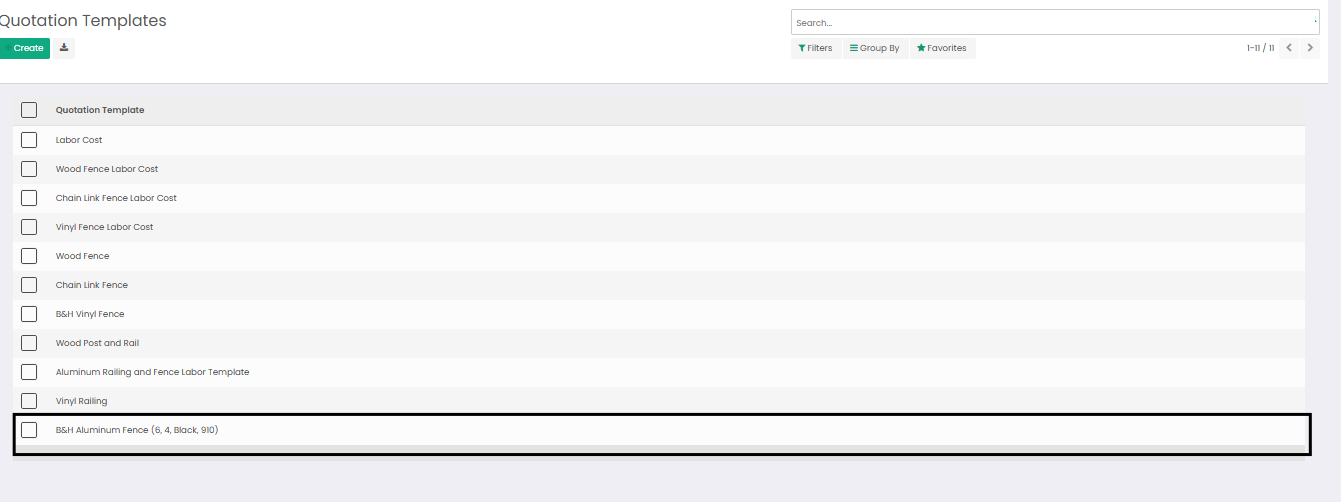
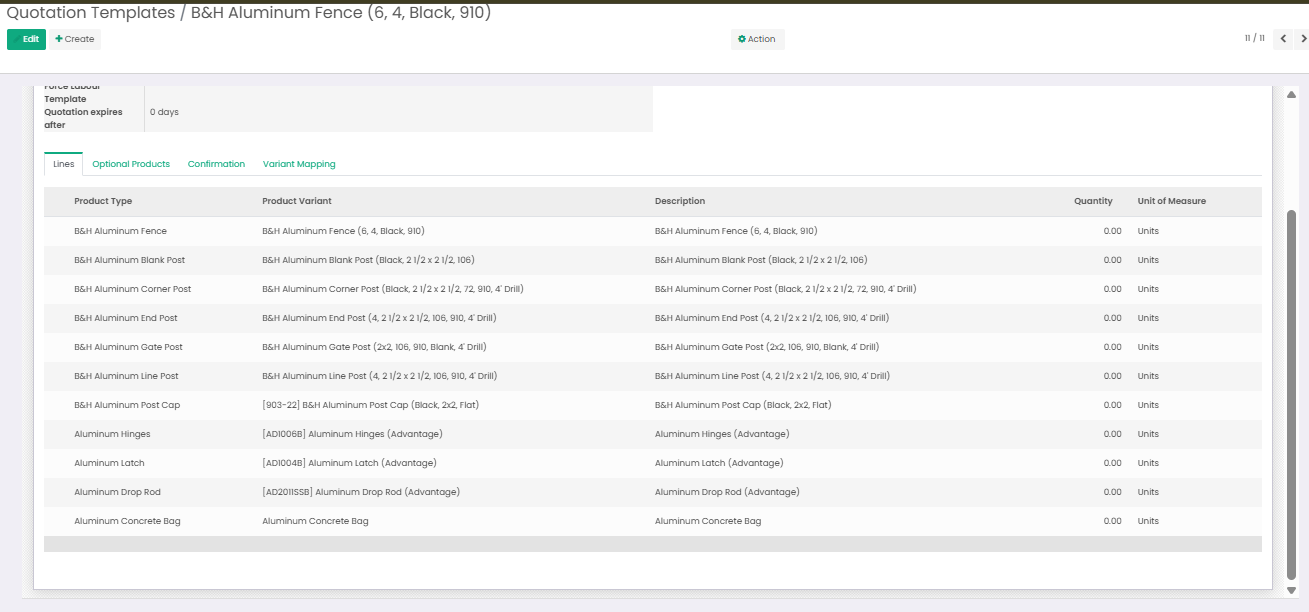
-
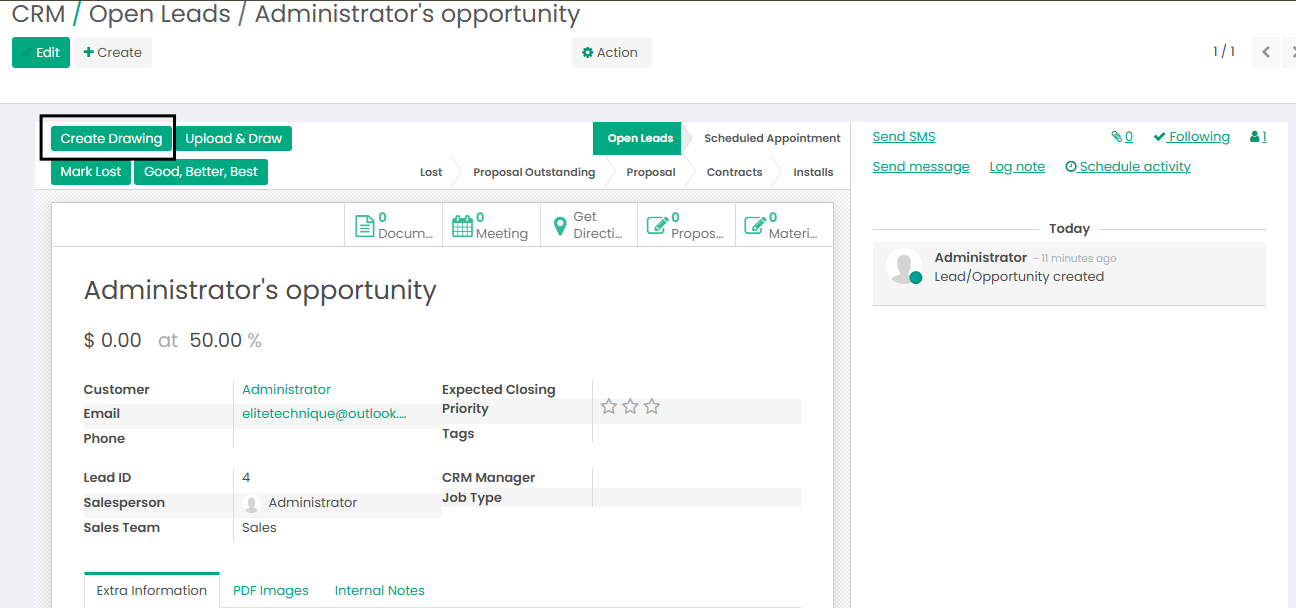
Renamed "Create Proposal" to "Create Drawing
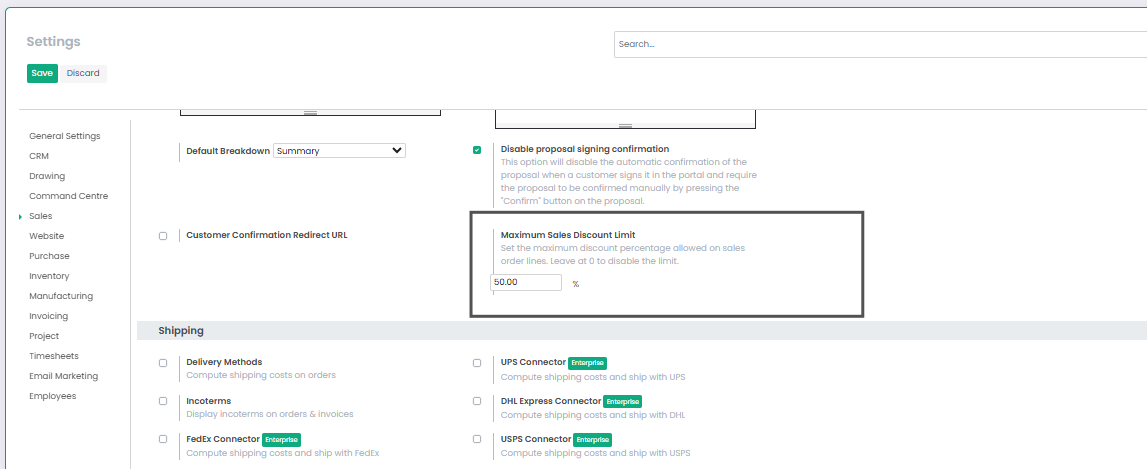
Set the Maximum Sales Discount Limit
The Set the Maximum Sales Discount Limit option is available in Sales Configuration Settings. Once a maximum discount percentage is configured, sales users will be prevented from applying a discount that exceeds the defined limit.
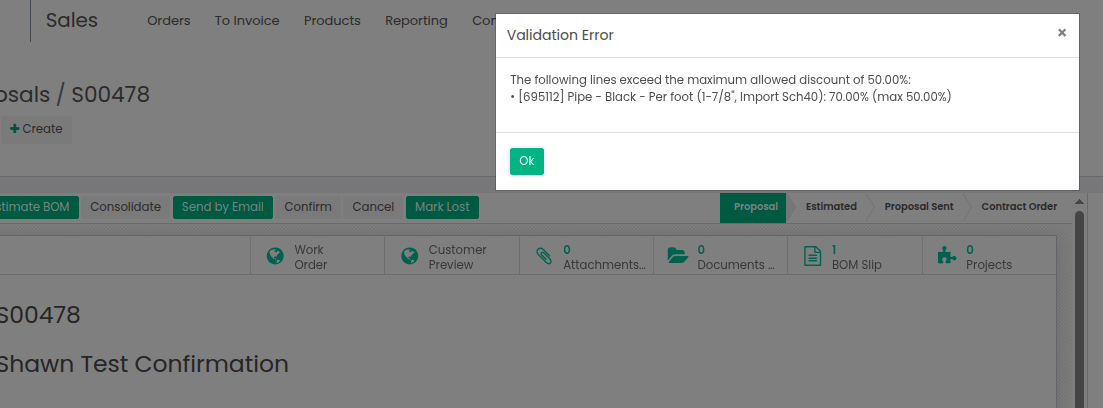
If a user attempts to enter a discount greater than the allowed percentage, the system will display a warning message, helping ensure pricing policies are consistently enforced across the sales team.
Validation Error when the discount provided is created than the discount limit
Start writing here...